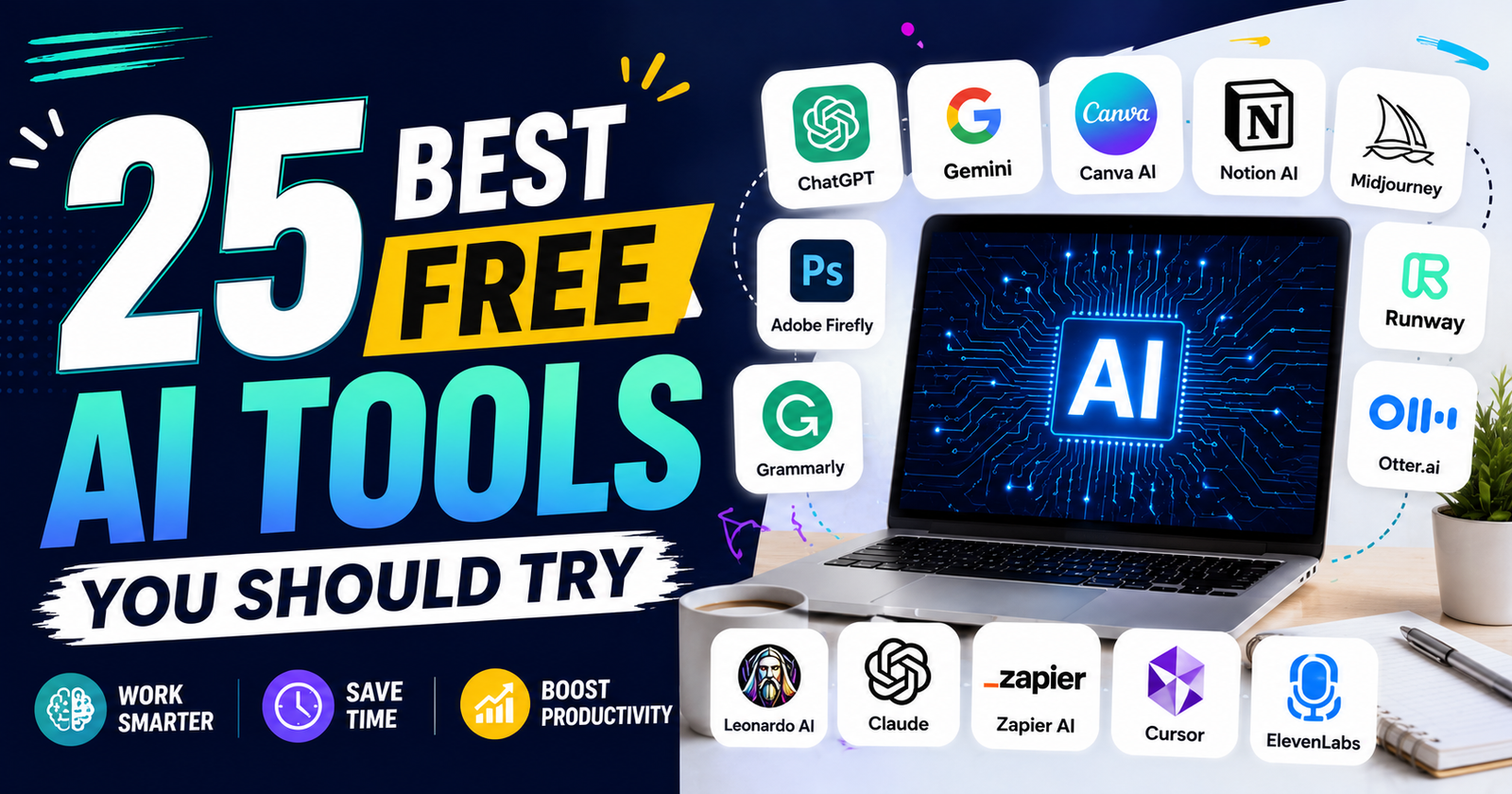
Artificial intelligence is changing the way people work, learn, and create. Today, you do not need to spend a lot of money to use powerful AI software. Many companies offer free AI tools that help with writing, designing, coding, editing videos, creating images, and managing daily tasks.
Whether you are a student, blogger, freelancer, business owner, or content creator, the right AI tool can save hours of work. It can also improve the quality of your projects without requiring advanced skills.
The biggest advantage of using free AI tools is that you can explore new technology without paying for expensive subscriptions. Most free plans include enough features for daily use, making them perfect for beginners and professionals alike.
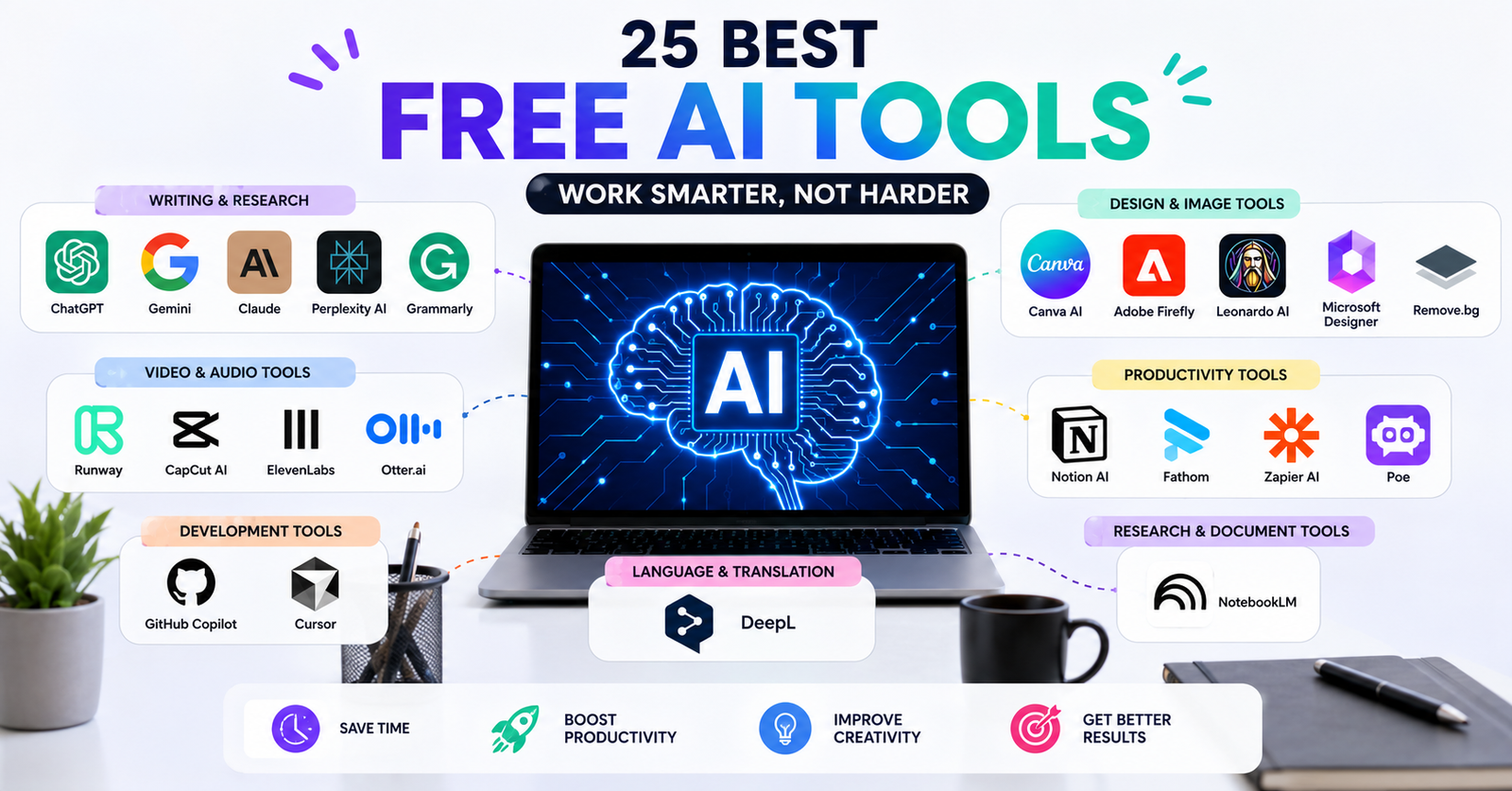
In this guide, you will discover the 25 best free AI tools available today. Each tool has unique features that can help you become more productive and creative. By the end of this article, you will know which AI tools are worth trying and which ones fit your needs.
Quick Comparison of the Best Free AI Tools
| AI Tool | Best For | Free Plan |
|---|---|---|
| ChatGPT | Writing, research, brainstorming | Yes |
| Google Gemini | Research and productivity | Yes |
| Claude | Long-form writing | Yes |
| Microsoft Copilot | Office and web assistance | Yes |
| Canva AI | Graphic design | Yes |
| Perplexity AI | AI search engine | Yes |
| Grammarly | Grammar and writing | Yes |
| Notion AI | Notes and productivity | Limited |
| Gamma | Presentations | Yes |
| Leonardo AI | AI image generation | Yes |
| Adobe Firefly | Creative images | Yes |
| GitHub Copilot | Coding | Limited Free |
| Cursor | AI coding | Yes |
| ElevenLabs | AI voice generation | Yes |
| Runway | AI video editing | Yes |
| CapCut AI | Video editing | Yes |
| Otter.ai | Meeting notes | Yes |
| NotebookLM | AI research | Yes |
| DeepL | Translation | Yes |
| Remove.bg | Background removal | Yes |
| Photoroom | Product images | Yes |
| Pixlr AI | Photo editing | Yes |
| Poe | Multiple AI models | Yes |
| Fathom | Meeting assistant | Yes |
| Zapier AI | Workflow automation | Yes |
1. ChatGPT
Among all free AI tools, ChatGPT is one of the most popular choices. Millions of people use it every day for writing, learning, coding, brainstorming, and solving problems. It understands natural language, making conversations feel smooth and helpful.
You can ask ChatGPT to write blog posts, emails, social media captions, product descriptions, business ideas, or even explain difficult topics in simple words. Students use it for learning, while professionals use it to improve productivity.
The free version offers powerful features that are enough for most users. It can also help with programming, language learning, travel planning, and business research.
If you are new to artificial intelligence, ChatGPT is one of the best free AI tools to start with because it is easy to use and works well for many different tasks.
Best for: Writing, research, coding, and learning.
2. Google Gemini
Google Gemini is another excellent option among today’s free AI tools. It combines Google’s search knowledge with advanced AI to answer questions, generate content, summarize documents, and help users complete everyday tasks.
Gemini works especially well for research because it can provide detailed explanations and organize information clearly. It also integrates with Google’s ecosystem, making it useful for Gmail, Google Docs, and other Google services.
Students appreciate Gemini because it explains difficult subjects in simple language. Content creators use it to generate ideas, while professionals rely on it for reports and emails.
The free version includes many useful features that make it a strong competitor to other AI assistants. If you already use Google products, Gemini becomes even more valuable.
Best for: Research, productivity, and Google Workspace users.
3. Claude
Claude has become one of the most trusted free AI tools for writing and document analysis. It is known for producing natural, readable content and handling long documents with ease.
Writers often choose Claude because it creates content that feels more human. It can rewrite articles, summarize PDFs, answer questions, and improve grammar without changing the original meaning.
Businesses also use Claude to review contracts, analyze reports, and prepare professional emails. Students use it to understand textbooks and lengthy research papers.
The free plan offers generous usage, making it a great option for people who regularly work with long-form content.
If your daily work involves reading or writing large amounts of text, Claude is one of the best free AI tools available today.
Best for: Long-form writing and document analysis.
4. Microsoft Copilot
Microsoft Copilot combines artificial intelligence with Microsoft’s productivity tools. It is one of the most practical free AI tools for office work and everyday productivity.
You can use Copilot to draft emails, summarize documents, generate reports, create presentations, and answer questions. It also helps users search the web more efficiently by providing summarized results.
Many professionals prefer Copilot because it integrates well with Microsoft Edge, Windows, and Microsoft 365 applications. Even the free version offers enough features for regular users.
Students, office workers, freelancers, and business owners can all benefit from its ability to organize information quickly.
If your daily work depends on Microsoft products, Copilot deserves a place on your list of free AI tools.
Best for: Productivity and Microsoft Office users.
5. Canva AI
Canva AI has changed the way people create graphics. It is one of the most beginner-friendly free AI tools for designing professional-looking content.
With Canva AI, you can generate presentations, social media posts, logos, banners, posters, and marketing materials in just a few minutes. Magic Design, Magic Write, and AI image generation make designing much easier.
You do not need graphic design experience to create attractive visuals. The drag-and-drop interface keeps everything simple.
Small business owners, bloggers, YouTubers, teachers, and students all benefit from Canva AI’s free features.
If you want professional designs without learning complex software, Canva AI is one of the best free AI tools you should try.
Best for: Graphic design and social media content.
6. Perplexity AI
Perplexity AI is becoming one of the fastest-growing free AI tools for research. Unlike traditional search engines, it provides direct answers instead of just showing links.
One of its biggest strengths is that it cites sources for its responses. This helps users verify information and continue reading from trusted websites.
Researchers, students, journalists, and bloggers find Perplexity AI especially useful because it saves time while gathering information.
The interface is clean and easy to understand. You simply ask a question, and the AI generates a detailed answer with supporting references.
If you spend a lot of time searching for reliable information online, Perplexity AI is among the best free AI tools available today.
Best for: AI-powered search and research.
7. Grammarly
Grammarly is much more than a grammar checker. It has become one of the most useful free AI tools for improving writing quality.
The free version checks spelling, grammar, punctuation, and sentence clarity. It also suggests better word choices and helps make your writing easier to read.
Students use Grammarly for assignments. Bloggers use it before publishing articles. Businesses rely on it for professional emails and documents.
Grammarly works with browsers, Microsoft Word, Google Docs, and many other writing platforms. This makes it convenient for almost every type of writer.
If you regularly write emails, articles, reports, or social media posts, Grammarly is one of the best free AI tools that can improve your writing every day.
Best for: Grammar checking and writing improvement.
8. Notion AI
Notion AI is one of the most useful free AI tools for people who want to stay organized. It combines note-taking, project management, and artificial intelligence in one place. Whether you are managing personal tasks or working with a team, Notion AI helps you save time.
You can use Notion AI to write meeting notes, summarize long documents, create blog outlines, generate ideas, and improve your writing. It also helps organize information so you can find what you need quickly. Students use it to manage study notes, while businesses use it for planning projects and sharing knowledge.
Although some advanced AI features require a paid plan, the free version is still powerful enough for personal use. The clean interface makes it easy for beginners to get started without any training.
If you want a smart workspace that keeps your notes and tasks organized, Notion AI is one of the best free AI tools you should try.
Best for: Note-taking, project management, and productivity.
9. Gamma
Creating presentations can take hours, but Gamma makes the process much faster. It is one of the most innovative free AI tools for building professional presentations, documents, and web pages.
Instead of designing every slide manually, you simply describe your topic. Gamma creates a complete presentation with clean layouts, images, and well-structured content. You can then edit the design to match your style.
Teachers, students, marketers, startup founders, and business professionals use Gamma to prepare presentations in minutes instead of hours. It also supports collaboration, making teamwork easier.
The free version includes enough features for most users and is ideal for anyone who wants attractive presentations without learning advanced design software.
If presentations are part of your daily work, Gamma is one of the best free AI tools to improve your productivity.
Best for: AI presentations and documents.
10. Leonardo AI
Leonardo AI has quickly become one of the most popular free AI tools for creating digital artwork and realistic images. It allows users to generate high-quality visuals simply by entering a text prompt.
Artists, game developers, bloggers, marketers, and business owners use Leonardo AI to create illustrations, concept art, product images, social media graphics, and marketing materials. The AI produces impressive results while giving users control over image style and quality.
One of Leonardo AI’s biggest advantages is its daily free token system. This allows users to generate multiple images every day without paying for a subscription.
The interface is beginner-friendly, yet it includes advanced settings for experienced designers who want more creative control.
If you need stunning AI-generated artwork without spending money, Leonardo AI is one of the best free AI tools available today.
Best for: AI image generation and digital art.
11. Adobe Firefly
Adobe Firefly is another excellent choice among modern free AI tools. Developed by Adobe, it helps users generate images, creative effects, text designs, and photo edits using artificial intelligence.
Firefly stands out because it is designed with creative professionals in mind. It integrates smoothly with Adobe Photoshop, Illustrator, and other Creative Cloud applications. Even beginners can create impressive visuals by simply describing what they want.
Content creators use Firefly to design social media posts, advertisements, website graphics, and promotional materials. Businesses also use it to speed up their creative workflow while maintaining professional quality.
The free plan includes monthly AI credits, making it easy to explore its features before upgrading.
If you already use Adobe products or want professional-quality AI designs, Adobe Firefly is one of the best free AI tools to consider.
Best for: Creative design and AI image editing.
12. GitHub Copilot
GitHub Copilot is one of the most valuable free AI tools for programmers and software developers. It works like an intelligent coding assistant that helps write code faster and reduces repetitive work.
As you type, GitHub Copilot suggests complete lines of code, functions, and even entire programs. It supports many programming languages, including Python, JavaScript, Java, C++, PHP, and more.
Students learning programming use it to understand coding concepts, while experienced developers rely on it to speed up software development. It can also explain existing code and suggest improvements.
Although some users may need a paid plan, GitHub offers free access for eligible students, teachers, and open-source contributors, making it an excellent learning tool.
If coding is part of your daily work, GitHub Copilot is one of the best free AI tools you should explore.
Best for: AI coding assistance and software development.
13. Cursor
Cursor is becoming one of the fastest-growing free AI tools for software developers. Built on a modern code editor, it combines programming with advanced AI features that make coding much easier.
Unlike traditional code editors, Cursor understands your entire project. It can explain code, fix bugs, generate functions, refactor programs, and answer programming questions directly inside the editor.
Many developers prefer Cursor because it feels like working with an experienced coding partner. It supports multiple programming languages and works well for both beginners and professionals.
The free version includes generous usage limits, allowing users to experience its AI capabilities without paying immediately.
If you want an intelligent coding environment that increases productivity, Cursor is one of the best free AI tools available today.
Best for: AI-powered coding and debugging.
14. ElevenLabs
ElevenLabs has become one of the leading free AI tools for voice generation. It creates realistic AI voices that sound natural and expressive, making it ideal for content creators and businesses.
You can convert written text into high-quality speech within seconds. The platform supports multiple languages and offers different voice styles to match various projects.
YouTubers use ElevenLabs for video narration, while podcasters create voiceovers without hiring professional voice actors. Businesses also use it for customer support, training videos, and marketing campaigns.
The free plan provides enough monthly credits for small projects, allowing users to test the platform before upgrading.
If you need realistic AI voice generation for videos, presentations, or podcasts, ElevenLabs is one of the best free AI tools worth trying.
Best for: AI voice generation and text-to-speech.
Comparison Table: AI Tools #8–#14
| AI Tool | Best For | Free Version |
|---|---|---|
| Notion AI | Notes and productivity | Limited |
| Gamma | Presentations | Yes |
| Leonardo AI | AI image generation | Yes |
| Adobe Firefly | Creative design | Yes |
| GitHub Copilot | Coding assistance | Limited Free |
| Cursor | AI code editor | Yes |
| ElevenLabs | AI voice generation | Yes |
15. Runway
Runway is one of the most advanced free AI tools for video creation and editing. It helps users produce professional videos without spending hours learning complex editing software. Whether you create content for YouTube, Instagram, TikTok, or your business, Runway can speed up your workflow.
The platform includes AI features such as background removal, object removal, automatic subtitles, video generation, image-to-video conversion, and motion tracking. These tools allow creators to edit videos with just a few clicks.
Many marketers and content creators use Runway to produce engaging videos quickly. Teachers also use it to create educational content, while businesses use it for product promotions and social media campaigns.
The free plan provides enough credits to explore its most popular features. Although paid plans offer more usage, the free version is perfect for beginners who want to experience AI-powered video editing.
If you want to create high-quality videos faster, Runway is one of the best free AI tools you should try.
Best for: AI video editing and video generation.
16. CapCut AI
CapCut AI is one of the easiest free AI tools for editing videos on both mobile devices and computers. It combines a simple interface with powerful AI features that help users create professional-looking videos in minutes.
The AI tools include automatic captions, background removal, text-to-speech, AI voice generation, video enhancement, smart cut, and automatic editing. These features reduce manual work and make video production much easier.
Social media creators use CapCut AI to edit TikTok, Instagram Reels, Facebook videos, and YouTube Shorts. Small businesses also rely on it to create promotional videos without hiring professional editors.
The free version offers a wide range of editing tools that are more than enough for most users. Even beginners can create attractive videos with very little effort.
If you regularly create short-form content, CapCut AI is one of the best free AI tools for fast and simple video editing.
Best for: Short-form video editing and AI effects.
17. Otter.ai
Otter.ai is one of the most practical free AI tools for recording conversations and creating accurate meeting notes. Instead of writing everything manually, the AI listens to conversations and converts speech into organized text in real time.
Professionals use Otter.ai during business meetings, online conferences, interviews, and classroom lectures. Students also benefit by recording lessons and reviewing transcripts later.
The platform automatically identifies speakers, highlights important points, and creates searchable transcripts. This makes it much easier to review discussions without replaying long audio recordings.
The free version includes a monthly transcription allowance that works well for personal use. It also connects with popular meeting platforms, making note-taking effortless.
If you attend meetings or online classes regularly, Otter.ai is one of the best free AI tools to improve your productivity.
Best for: Meeting transcription and note-taking.
18. NotebookLM
NotebookLM is one of Google’s newest free AI tools designed for research and learning. Unlike many AI assistants, NotebookLM focuses on the information you provide rather than searching the entire internet.
You can upload documents, PDFs, research papers, presentations, and notes. The AI then answers questions based only on your uploaded content. This makes the responses more accurate and relevant to your work.
Researchers, students, teachers, and professionals use NotebookLM to summarize large documents, explain difficult topics, generate study guides, and organize research materials.
Its clean interface makes it simple to upload files and begin asking questions immediately. The free version offers enough features for most educational and professional tasks.
If you often work with documents and research materials, NotebookLM is one of the best free AI tools available today.
Best for: Research, studying, and document analysis.
19. DeepL
DeepL has earned a strong reputation as one of the most accurate free AI tools for language translation. Many users believe it produces more natural translations than traditional translation software.
DeepL supports many popular languages and understands context very well. Instead of translating each word separately, it translates complete sentences in a way that sounds natural.
Businesses use DeepL to communicate with international clients, while students translate study materials and travelers use it to understand foreign languages. Writers also appreciate its ability to preserve tone and meaning.
The free version handles everyday translation needs without requiring a subscription. It is easy to use on both desktop and mobile devices.
If you need accurate and natural translations, DeepL is one of the best free AI tools you should use.
Best for: AI-powered language translation.
20. Remove.bg
Remove.bg is one of the simplest yet most useful free AI tools for image editing. It automatically removes the background from photos in just a few seconds without requiring any design experience.
Instead of spending time selecting objects manually, you simply upload an image. The AI detects the main subject and removes the background with impressive accuracy.
Online store owners use Remove.bg for product photos, while graphic designers use it for marketing materials and advertisements. Content creators also use it to make professional thumbnails and social media graphics.
The free version works well for personal projects and quick edits. It saves a significant amount of time compared to traditional editing software.
If you frequently edit product photos or create digital content, Remove.bg is one of the best free AI tools to include in your workflow.
Best for: Background removal and image editing.
21. Photoroom
Photoroom is another excellent choice among today’s free AI tools, especially for eCommerce businesses and social media creators. It helps users create professional product photos without needing a studio or expensive camera equipment.
Using AI, Photoroom removes backgrounds, improves lighting, adds realistic shadows, and places products into attractive templates. The result looks clean and ready for online stores or advertising campaigns.
Small business owners use Photoroom to prepare product listings for marketplaces and websites. Influencers and marketers also use it to create eye-catching promotional images.
The free version includes many essential editing tools that make product photography much easier. Even beginners can create high-quality images within minutes.
If you sell products online or want polished marketing images, Photoroom is one of the best free AI tools worth trying.
Best for: Product photography and eCommerce images.
Comparison Table: AI Tools #15–#21
| AI Tool | Best For | Free Version |
|---|---|---|
| Runway | AI video editing | Yes |
| CapCut AI | Short-form video editing | Yes |
| Otter.ai | Meeting transcription | Yes |
| NotebookLM | Research and study | Yes |
| DeepL | Language translation | Yes |
| Remove.bg | Background removal | Yes |
| Photoroom | Product photography | Yes |
22. Poe
Poe is one of the most flexible free AI tools because it gives users access to multiple AI models in one place. Instead of switching between different websites, you can use several popular AI assistants through a single platform.
Poe allows you to ask questions, write articles, summarize documents, translate text, generate creative ideas, and even create custom AI bots. This makes it useful for students, writers, developers, marketers, and business owners.
One of Poe’s biggest advantages is its simple interface. You can compare answers from different AI models and choose the one that best fits your needs. This helps users get better results without spending extra time.
The free version includes daily usage that is enough for regular tasks. It is an excellent option for anyone who wants to explore different AI models before choosing one.
If you like experimenting with different AI assistants, Poe is one of the best free AI tools you should try.
Best for: Accessing multiple AI models in one platform.
23. Fathom
Fathom is one of the smartest free AI tools for online meetings. It records meetings, creates transcripts, and automatically generates summaries, allowing you to focus on the conversation instead of taking notes.
The AI identifies important moments, action items, and key decisions during the meeting. After the meeting ends, it provides a clear summary that you can easily share with your team.
Sales professionals, managers, consultants, and remote teams use Fathom to improve productivity. It also works with popular meeting platforms, making it easy to integrate into daily workflows.
The free version offers generous features for individual users. It reduces manual work and ensures that important details are never missed.
If you spend a lot of time in virtual meetings, Fathom is one of the best free AI tools for improving efficiency.
Best for: AI meeting summaries and productivity.
24. Zapier AI
Zapier AI is one of the most useful free AI tools for automating repetitive work. Instead of completing the same tasks every day, you can create automated workflows that save time and reduce errors.
Zapier connects thousands of apps, including Gmail, Slack, Google Sheets, Trello, Notion, Shopify, and many more. With AI, creating these workflows has become much easier because you can describe what you want in simple language.
Business owners use Zapier AI to automate customer emails, organize leads, update spreadsheets, and manage daily operations. Freelancers also use it to simplify client work and improve productivity.
The free plan allows users to build basic automations that are enough for personal use and small businesses.
If you want to work smarter instead of harder, Zapier AI is one of the best free AI tools you should explore.
Best for: Workflow automation and business productivity.
25. Microsoft Designer
Microsoft Designer completes our list of the 25 best free AI tools. It helps users create professional graphics for social media, presentations, advertisements, invitations, and marketing campaigns.
Simply type a description of your idea, and Microsoft Designer generates attractive designs with matching layouts, fonts, colors, and images. Even users with no graphic design experience can create polished visuals in minutes.
Small business owners, students, bloggers, and marketers use Microsoft Designer to create engaging content quickly. It also works well with other Microsoft products, making it a convenient option for many users.
The free version offers plenty of design features for everyday projects. Its easy-to-use interface makes it suitable for both beginners and experienced creators.
If you need quick and professional designs without learning advanced software, Microsoft Designer is one of the best free AI tools available today.
Best for: AI graphic design and social media content.
How to Choose the Right Free AI Tools
With so many free AI tools available, choosing the right one depends on your needs. The best tool for a blogger may not be the best choice for a programmer or designer.
If your main goal is writing, tools like ChatGPT, Claude, and Grammarly are excellent options. They help you write articles, emails, reports, and social media posts with better quality and less effort.
If you create graphics or marketing content, Canva AI, Adobe Firefly, Leonardo AI, and Microsoft Designer are strong choices. They allow you to create professional visuals even if you have no design experience.
Developers can improve their workflow with GitHub Copilot and Cursor, while video creators will benefit from Runway and CapCut AI.
Businesses and professionals can save time by using Zapier AI, Fathom, Otter.ai, and Notion AI to automate work, organize information, and manage meetings.
Before choosing a tool, think about the type of work you do most often. Start with the free version and upgrade only if you need additional features. This approach helps you get the most value without spending unnecessary money.
Final Comparison Table
| Category | Recommended Free AI Tools |
|---|---|
| Writing | ChatGPT, Claude, Grammarly |
| Research | Google Gemini, Perplexity AI, NotebookLM |
| Graphic Design | Canva AI, Adobe Firefly, Microsoft Designer |
| AI Images | Leonardo AI, Photoroom, Remove.bg |
| Coding | GitHub Copilot, Cursor |
| Video Editing | Runway, CapCut AI |
| Voice Generation | ElevenLabs |
| Productivity | Notion AI, Zapier AI, Fathom, Otter.ai |
| Translation | DeepL |
| Presentations | Gamma |
Conclusion
Artificial intelligence has become a valuable part of everyday life, and you no longer need a large budget to benefit from it. The 25 best free AI tools featured in this guide can help you write faster, create better designs, edit videos, generate images, translate languages, automate tasks, and improve productivity.
The biggest advantage of these free AI tools is that they allow you to explore powerful technology without paying for expensive software. Whether you are a student, freelancer, content creator, developer, marketer, or business owner, there is an AI tool that matches your needs.
Instead of trying every platform at once, begin with a few that fit your daily work. As you become familiar with artificial intelligence, you can combine multiple free AI tools to build a faster and more efficient workflow.
The future of work is becoming smarter every day. By using the right AI tools, you can save time, improve your skills, and focus more on creativity and important tasks.
Frequently Asked Questions (FAQs)
Which are the best free AI tools for beginners?
Some of the best free AI tools for beginners include ChatGPT, Google Gemini, Canva AI, Grammarly, Microsoft Designer, and Perplexity AI. These tools are easy to use and offer generous free plans.
Are free AI tools really free to use?
Yes, many free AI tools offer free plans with useful features. Some platforms have daily or monthly usage limits, while others provide optional paid plans with advanced capabilities.
Which free AI tools are best for content creators?
Content creators often use ChatGPT, Canva AI, Runway, CapCut AI, Leonardo AI, Adobe Firefly, and ElevenLabs to create articles, videos, graphics, images, and voiceovers.
Which free AI tools are best for students?
Students can benefit from Google Gemini, NotebookLM, Claude, Grammarly, Perplexity AI, and ChatGPT. These free AI tools help with research, note-taking, writing, and learning new concepts.
Can businesses rely on free AI tools?
Yes. Many small businesses use free AI tools such as Zapier AI, Notion AI, Canva AI, ChatGPT, Grammarly, and Fathom to improve productivity, automate tasks, and create marketing content before upgrading to paid plans when needed.